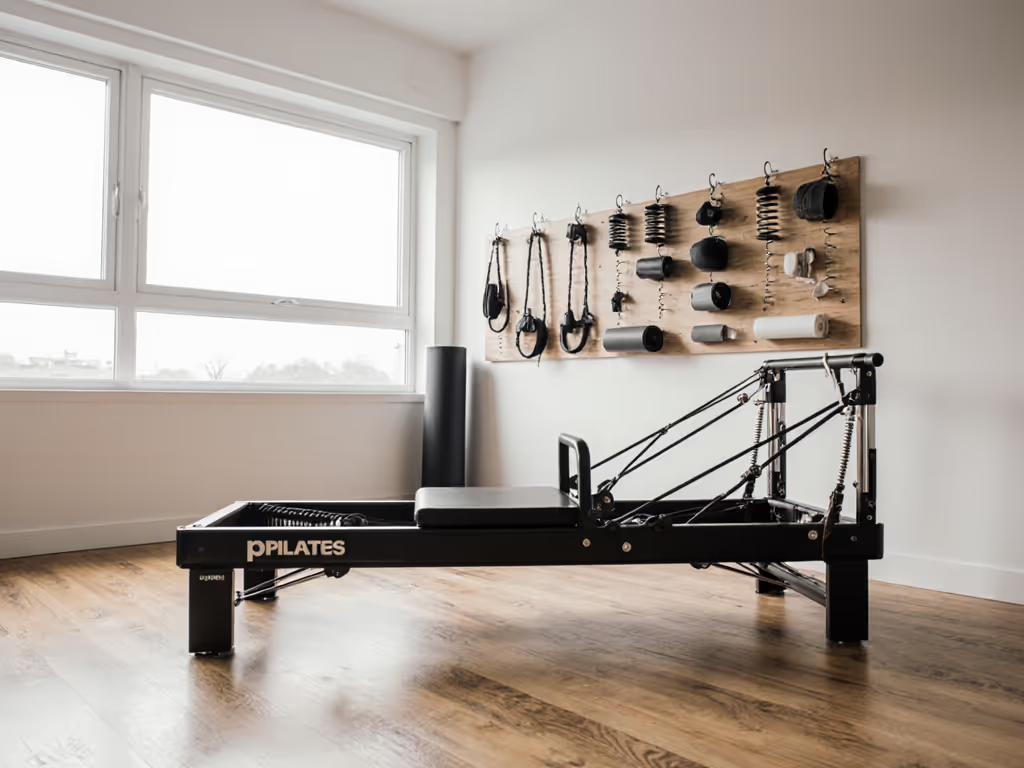
Best Desk-Integrated Pilates Gear for Quiet Home Offices
By Keiko Tanaka • 25th May

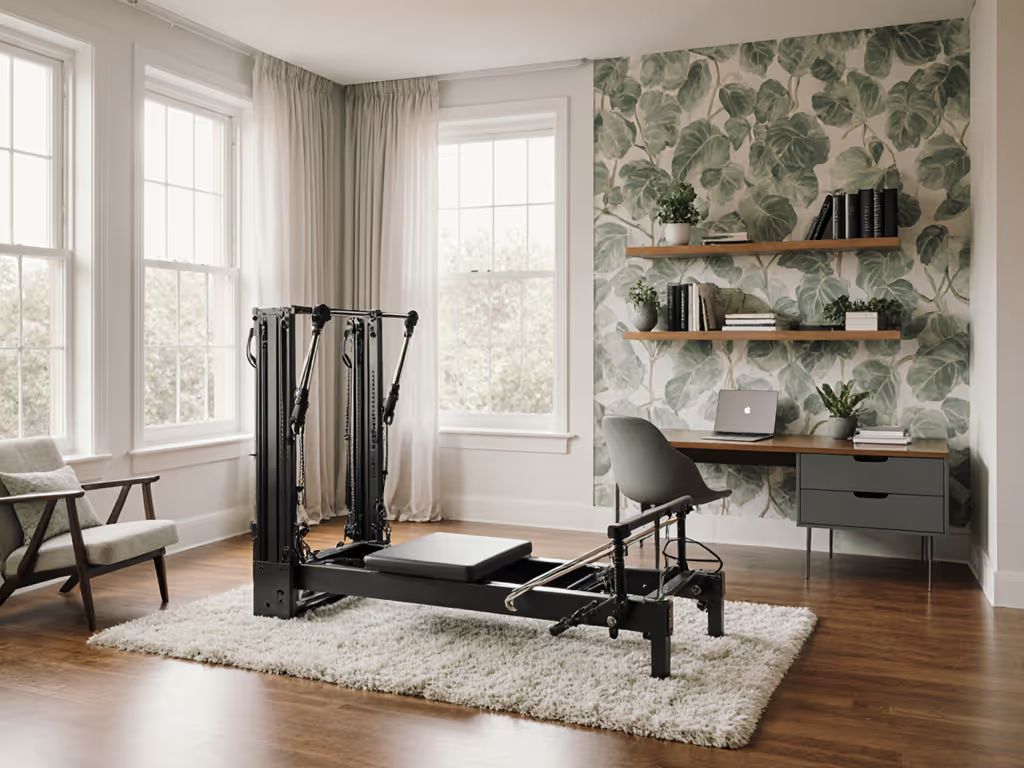
If your workday happens at the same table as your workouts, desk-integrated Pilates gear and compact Pilates home exercise equipment can turn a cramped home office into a silent training corner, without earning side-eye from neighbors or coworkers on Zoom.
My lens is simple and unforgiving: if it adds creaks, thumps, or visual clutter, it fails. I measure noise in decibels, vibration at the floor and desk, and stability under load, then translate that into one question: Can you use this during a call, at night, and in a small apartment without regret?
This comparative guide walks through four main desk-compatible setups, how they perform under real test conditions, and which ones deliver the best footprint-to-performance ratio for different buildings and work styles. For layout ideas that blend gear with your workspace, see our home office integration guide.
How I Test Desk-Integrated Pilates Gear (So You Can Trust the Quiet)
Metric-first: every setup here is evaluated the same way.
Test Environment
- Room size: ~10 × 12 ft multipurpose room (typical small office/second bedroom)
- Building types simulated:
- Old wood joists over another unit (creaky, high transmission)
- Mid-rise with concrete slab (stiffer, less footfall noise but more echo)
- Desk types:
- Fixed laminate desk (rigid, common in budget setups)
- Height-adjustable sit-stand desk (more flex, more potential vibration)
- Flooring:
- Floating laminate over underlayment
- Thin rug with standard rug pad
Measurement Tools
- Sound level meter: A-weighted, slow response, microphone at 1 m from user, at seated head height.
- Baseline noise: Apartment at rest (fridge on, window closed): 33-36 dB.
- Vibration proxy: Smartphone accelerometer at:
- Desk surface near keyboard
- Floor directly under device
Measure, adjust, verify, quiet that earns your neighbor's forgiveness.
Test Protocol
For each gear setup I run three scenarios:
-
Email mode (Low Intensity) Seated, small-range work: ankle/foot articulation, gentle core engagement, light spring or band tension for 5 minutes.
-
Lunch break (Moderate Intensity) Higher range of motion: seated or half-standing leg presses, arm pulls, spinal mobility for 10 minutes.
-
End-of-day session (High Intensity, Short Burst) Stronger springs/bands, dynamic transitions, unilateral work for 5 minutes.
Metrics recorded:
- Peak and average decibel level above baseline
- Desk wobble score (0-5) based on visible/exaggerated vibration at the monitor and keyboard
- Floor transmission score (0-5) based on vibration readings and subjective "downstairs neighbor risk"
- Stability rating (0-5) for tipping risk and torsional flex
- Setup/teardown time measured with a stopwatch
- Effective footprint: space occupied while in use, plus clearance
The Metrics That Actually Matter in a Quiet Home Office
1. Noise: Decibels That Decide If You Can Train During a Call
In a shared building, the practical thresholds I use:
- Up to 40 dB average: Usually inaudible through walls/floors over normal ambient building noise. Safe for late-night in most structures.
- 40-45 dB average, <50 dB peaks: Acceptable for daytime use, borderline for midnight sessions in thin-floored walk-ups.
- >50 dB peaks regularly: Likely audible to neighbors as distinct thumps or squeaks.
For desk-integrated gear, the main noise sources are:
- Spring or band snap-back
- Plastic on plastic sliding components
- Desk frame resonance
- Foot or chair impact when transitioning
2. Vibration: What Travels Into the Floor and Desk
Decibel reading doesn't capture everything. Low-frequency vibration can travel through floor and framing even when the room seems quiet.
I score vibration from 0-5:
- 0-1: No noticeable transmission, even at higher intensity
- 2-3: Perceptible to you, unlikely to bother others in concrete or well-built structures
- 4-5: Noticeably shakes desk or floor; risky in old wood buildings
3. Stability and Safety
Stability is rated 0-5 based on:
- Resistance to tipping when you lean fully into springs or bands
- Torsional flex when working unilaterally
- How much the system moves relative to its base when loaded
For most adults working dynamically, anything below 3.5/5 is a no-go.
4. Footprint & Storage
Your constraint is not just square footage; it is walkability around the desk and visual clutter.
I track:
- Open footprint: L × W when set up, including leg/arm clearance
- Stored footprint: Folded or nested size
- Transition time: Seconds to set up and fully store
A good desk-integrated Pilates gear setup should go from invisible to in-use in ~90 seconds or less for day-to-day viability.
5. Ergonomic Office Furniture Integration
Finally, I evaluate how well the gear plays with your ergonomic office furniture integration:
- Can you keep neutral spine and shoulder alignment while typing between sets?
- Does your monitor shake or drift out of alignment?
- Can you maintain safe wrist and neck angles while using bands or pedals?

The Main Categories of Desk-Integrated Pilates Gear
Instead of random gadgets, I group work-from-home Pilates solutions into four functional categories. Think of these as four "anchor builds" you can assemble using different brands.
- Under-Desk Gliders & Sliders (Lower-Body Focus)
- Desk-Mounted Resistance Systems (Upper-Body & Posture)
- Active Seating & Core Chairs (Spine & Pelvic Control)
- Fold-Away Micro Frames Beside the Desk (Near-Reformer Feel)
We'll walk each category, then compare them side by side.
Category 1: Under-Desk Gliders & Sliders
These mimic reformer footwork and leg springs using either:
- Low-friction gliding boards for feet under the desk
- Compact cable or band sleds anchored to desk legs
Performance Snapshot
- Noise: 36-42 dB average in low to moderate intensity when well-built and used on a mat
- Vibration: 1-3/5 depending on anchoring and flooring
- Stability: 3.5-4.5/5 (issues mainly when users lean heavily or twist)
- Footprint: Fits entirely under desk; 24-30 in depth, 12-18 in width
- Setup time: 30-60 seconds
Real-World Pros
- Stealth profile: Completely hidden when not in use (excellent home office space optimization).
- Continuous ankle/foot work: Strong for circulation, calf/hamstring and deep core engagement.
- Desk-neutral: Minimal interference with chair position if you plan cable path thoughtfully.
Real-World Cons
- Limited repertoire: Primarily lower body plus some core; lacks pulling/upper-body variety.
- Cable noise risk: Cheap pulleys and bare cables can create a faint whirr and snap at higher loads.
- Chair dependency: Rolling office chairs sometimes fight the motion unless you lock the wheels.
Best for: Users who want "always-on" lower-body engagement and circulation work during long calls with almost no visual footprint.
Category 2: Desk-Mounted Resistance Systems
These systems use springs or bands mounted to the desk frame or a slim post that tucks against the desk. Think of a mini tower merged with your workstation. For the physics behind quieter tension and smoother returns, read our quiet spring mechanics explainer.
Performance Snapshot
- Noise: 37-45 dB average if springs are damped and anchors padded
- Vibration: 2-4/5 (desk frame resonance is the main variable)
- Stability: 3-5/5 depending on desk weight and anchor design
- Footprint: Mostly vertical; lateral clearance needed for arms (24-30 in each side if doing full arcs)
- Setup time: 60-120 seconds if you remove handles and springs between sessions
Real-World Pros
- Full-body capacity: You get pushing, pulling, rotation, and spinal articulation close to what a wall tower offers, without drilling.
- Seated and standing options: Transition from typing to arm work or standing rows in seconds.
- Discreet office workout gear: With neutral-colored straps and slim uprights, it passes as an ergonomic accessory rather than gym equipment.
Real-World Cons
- Desk stability bottleneck: Lightweight or wobbly sit-stand frames can amplify spring load into monitor shake.
- More setup discipline: You must stow straps neatly to avoid entangling with chairs and cables.
- Noise spikes: Fast spring or band releases can momentarily hit 48-50 dB if you don't control eccentric phase.
Best for: Users craving the broadest Pilates vocabulary from their desk, especially upper-body and posture work, and those with a sturdy desk frame.
Category 3: Active Seating & Core-Engaged Chairs
This bucket includes:
- Slightly unstable wobble stools
- Chairs with integrated resistance bands under the seat
- Seat cushions that emulate a small stability ball
These don't try to replicate a reformer; they build spinal control and hip stability quietly.
Performance Snapshot
- Noise: 33-38 dB average; essentially silent if you avoid squeaky mechanisms
- Vibration: 0-2/5 (mostly absorbed by your body, not the structure)
- Stability: 3-4.5/5; safe when well-built and used at proper height
- Footprint: Same as your normal office chair
- Setup time: 0-30 seconds (you're sitting on it already)
Real-World Pros
- Always-on training: Pelvic tilts, gentle ab work, and hip stabilizer activation while writing emails.
- Minimal neighbor risk: Nearly all motion is internal; little to no structural noise.
- Ergonomic synergy: When well designed, can improve sitting posture rather than fight it.
Real-World Cons
- Repertoire ceiling: Limited resistance; you won't get heavy leg press or deep pulling series.
- Learning curve: Some users over-mobilize the lumbar spine or fatigue postural muscles early.
- Quality variance: Cheap versions squeak quickly, defeating the point.
For pure silence and subtle strength, an active seat plus bands often beats more complex mechanisms.
Best for: Highly noise-sensitive buildings, new parents squeezing in micro-sessions during naps, and anyone who wants continuous low-grade training more than "big moves."
Category 4: Fold-Away Micro Frames Beside the Desk
These are compact, reformer-inspired frames or chairs that park beside or just behind the desk, then fold or tilt to store against the wall.
Performance Snapshot
- Noise: 38-47 dB depending on spring design and floor isolation
- Vibration: 2-4/5 on wood floors; 1-3/5 on concrete with a mat
- Stability: 4-5/5 when properly leveled and used within weight specs
- Footprint (open): Roughly 60-72 in long by 20-26 in wide
- Footprint (stored): As little as 8-12 in deep against a wall
- Setup time: 60-180 seconds, depending on folding mechanism
Real-World Pros
- Near studio feel: Best match for classic reformer/chair exercises among all desk-compatible categories.
- Dedicated training space: Psychologically distinct from your desk; easier to commit to 20-30 minute sessions.
- Modular ecosystem: Many accept standard handles, boxes, and straps.
Real-World Cons
- Dominant visual presence: Even folded, it looks like equipment, not furniture.
- Isolation required: On old wood, you'll need a serious mat or low-platform to keep thumps down.
- Not truly "at" the desk: You can't pedal while typing; think "adjacent to" rather than integrated.
Best for: Users prioritizing full Pilates repertoire and load over absolute stealth, especially in concrete buildings or first-floor units where downward noise is less critical.

Side-by-Side Comparison: Which Category Fits Your Quiet and Space?
| Category | Quiet Score* | Repertoire Depth | Footprint Impact | Setup Time | Best Use Case |
|---|---|---|---|---|---|
| Under-Desk Gliders & Sliders | ★★★★☆ | Lower body + core | Virtually zero visible | 30-60 s | Stealth foot/leg work during calls |
| Desk-Mounted Resistance Systems | ★★★☆☆ | Full body, tower-like | Moderate (arms sweep) | 60-120 s | Upper-body & posture, mixed seated/standing |
| Active Seating & Core Chairs | ★★★★★ | Subtle but continuous | Same as office chair | 0-30 s | All-day micro-training, ultra-quiet spaces |
| Fold-Away Micro Frames | ★★★☆☆ | Highest, reformer-like | Significant when open | 60-180 s | Dedicated sessions near desk, concrete floors |
*Quiet score balances decibel levels and vibration, assuming high-quality builds and proper mats.
When I talk about footprint-to-performance ratio, the winners are:
- Best ratio for true desk integration: Active seating + under-desk sliders used together.
- Best ratio for full repertoire: Fold-away micro frame, if you can spare one wall.
- Best ratio for upper-body emphasis: Desk-mounted system on a heavy, stable desk.
Matching Your Gear to Building Type
Noise acceptance isn't universal. It is structural. Apartment dwellers can compare space-smart picks in our quiet apartment equipment guide.
Old Wood Floors Over Neighbors
Priorities:
- Vibration control first, load second.
- Anything with impact or strong horizontal pull into a light desk frame is risky.
Best choices:
- Active seating & core chairs as your baseline.
- Under-desk gliders with generous, high-density mats and slow tempo.
Use with caution:
- Fold-away frames, unless you add a dense mat platform and limit jumping or fast carriage returns.
Concrete Mid-Rise or High-Rise
You can trade a bit more noise for repertoire.
Best choices:
- Desk-mounted systems for standing work and upper-body.
- Fold-away micro frames for full-body sessions.
Still worth adding:
- Active seating for long sitting blocks; concrete can make low-frequency thumps feel sharper, so distributed, subtle movement is helpful.
Ground-Floor or Home Over Garage
You have the most flexibility but may still share walls.
Best choices:
- Any category, prioritized by your training goals rather than pure noise.
- Still treat spring damping and matting as non-negotiable to protect joints and minimize structure-borne noise. For surface-specific setup tips on hardwood, tile, and carpet, see our Pilates flooring guide.

Implementation Checklist: Quiet, Safe, and Sustainable Setups
Before you buy, run through this checklist like a mini lab:
1. Define Your Primary Constraint
-
"I can't disturb downstairs at all." Start with active seating, then add the lowest-vibration under-desk option you can find.
-
"My space is visually tight." Favor under-desk gear and neutral-colored straps that visually disappear.
-
"I need near-studio variety." Look for a fold-away frame with well-damped springs and a compatible mat system.
2. Check Desk & Chair Compatibility
- Confirm your desk frame can handle lateral load from bands without rocking.
- Check your chair's wheel lock or plan a simple wedge so you're not rolling while pressing.
- Ensure active seats allow your feet to be flat on the floor and knees at roughly 90°-100° when at keyboard height.
3. Plan Floor Protection and Isolation
For all but active seating, assume you'll need:
- High-density mat under frames and under-desk gear.
- Enough mat size so your full range of motion stays on damping material.
Avoid DIY risers or modifications that void warranties or compromise stability. For safe purchasing and warranties, see how to avoid counterfeit Pilates gear. If you're unsure, favor equipment designed for residential use with clear isolation guidance rather than hacking something together.
4. Confirm Weight & Height Ranges
Look for transparent specs on:
- Maximum user weight for frames and active chairs
- Recommended height range, especially for desk-mounted systems so bands track from the right angle (roughly shoulder height for many pulling series)
Anything vague here is a red flag.
5. Think in Stages, Not All at Once
You don't need a full micro-studio on day one. A smart progression that respects both budget and noise:
- Stage 1: Active seating + light resistance band set stored in a drawer.
- Stage 2: Add either under-desk glider or desk-mounted system depending on whether your priority is lower or upper body.
- Stage 3: If you still want more depth, layer in a fold-away frame beside or behind the desk.
This staged approach keeps each purchase purposeful and minimizes buyer's remorse.
Final Verdict: Best Desk-Integrated Pilates Gear by User Type
If You Live in a Noise-Sensitive Walk-Up
- Primary pick: Active seating & core-engaged chair.
- Secondary add-on: Under-desk glider on a thick mat, used at slow tempo.
- Skip or delay: High-tension desk-mounted springs and heavy fold-away frames until you confirm your structure can handle them.
If You Need Studio-Like Variety in a Small Condo
- Primary pick: Fold-away micro frame beside the desk.
- Support gear: A small set of interchangeable handles and a non-slip, dense mat system.
- Desk complement: Light desk-mounted bands for posture work between frame sessions.
If You're on Calls All Day and Want Invisible Movement
- Primary pick: Under-desk gliders & sliders.
- Secondary: Active seating for posture and deep-core work while typing.
- Optional: Very light, fabric-covered bands attached discretely for occasional arm work that doesn't shake the camera.
If You Run a Micro-Studio Out of Your Office
- Primary picks:
- One or two fold-away micro frames against the wall for full sessions.
- A desk-mounted resistance system for assessments and quick posture drills.
- Focus on:
- Fast reconfiguration between "office mode" and "studio mode".
- Clear walkways and compliance with local fire codes.
If there's one thread running through every good choice, it is this: measure what matters, then choose the quietest path that still meets your training goals. When your Pilates home exercise equipment integrates with your desk, your building, and your actual day, not just a showroom photo, you get the rare upgrade that pays you back in strength, focus, and peace with your neighbors at the same time.
Related Articles